
Beta Access & Download Guide
If you are selected as a tester for our Closed Beta, you will receive an email with a beta code.
1. [Steam] How to redeem the beta code and download the game on Steam?
Web Redeem: Visit https://store.steampowered.com/account/registerkey.
Or redeem through the Steam client:
- Open the Steam client and click on "Games."
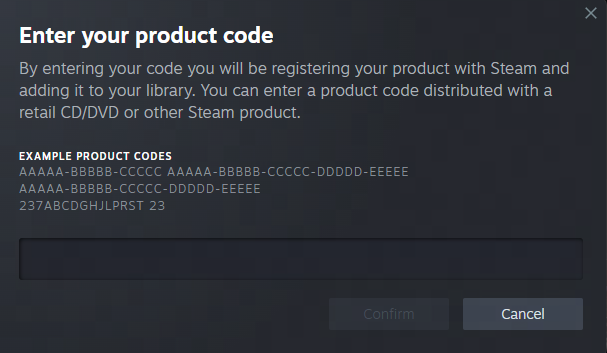
- Select "Activate a Product on Steam."
- Enter Beta Code.
- Download the game from your Steam library.
For the best experience, we recommend installing the game on an SSD.
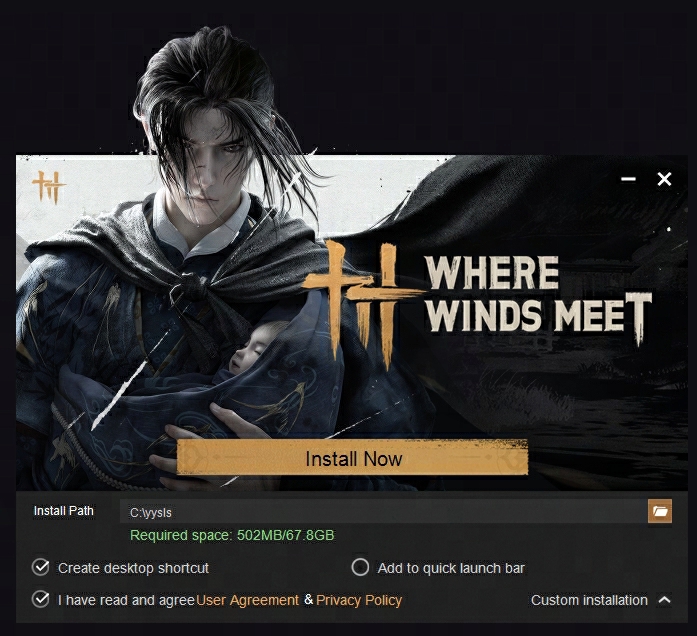
*Please note: The launcher installation path must be in the system language or English. If your computer is set to Japanese, please use either Japanese or English for the installation path. Using other languages will cause errors.
*If your device does not meet the minimum system requirements for this test, installation will not be possible.
We are continuously working to optimize the game, and these requirements may be adjusted in future tests.
We apologize for any inconvenience and appreciate your understanding.
2. [PS5 & PS5 Pro] How to Redeem the Beta Code and Download the Game
on PlayStation Store?
Step1. Enter the PS Store and click on the button in the upper right corner
Step2. Select "Redeem Code"
Step3. Enter the 12-digit Redeem code on the redemption page and confirm
Step4. The game interface will appear. Confirm the redemption
Step5. Once redemption is successful, click "Download"
Note: If you didn't download the game right after redeeming, you can find it in
<Game Library> → <Your Collection>